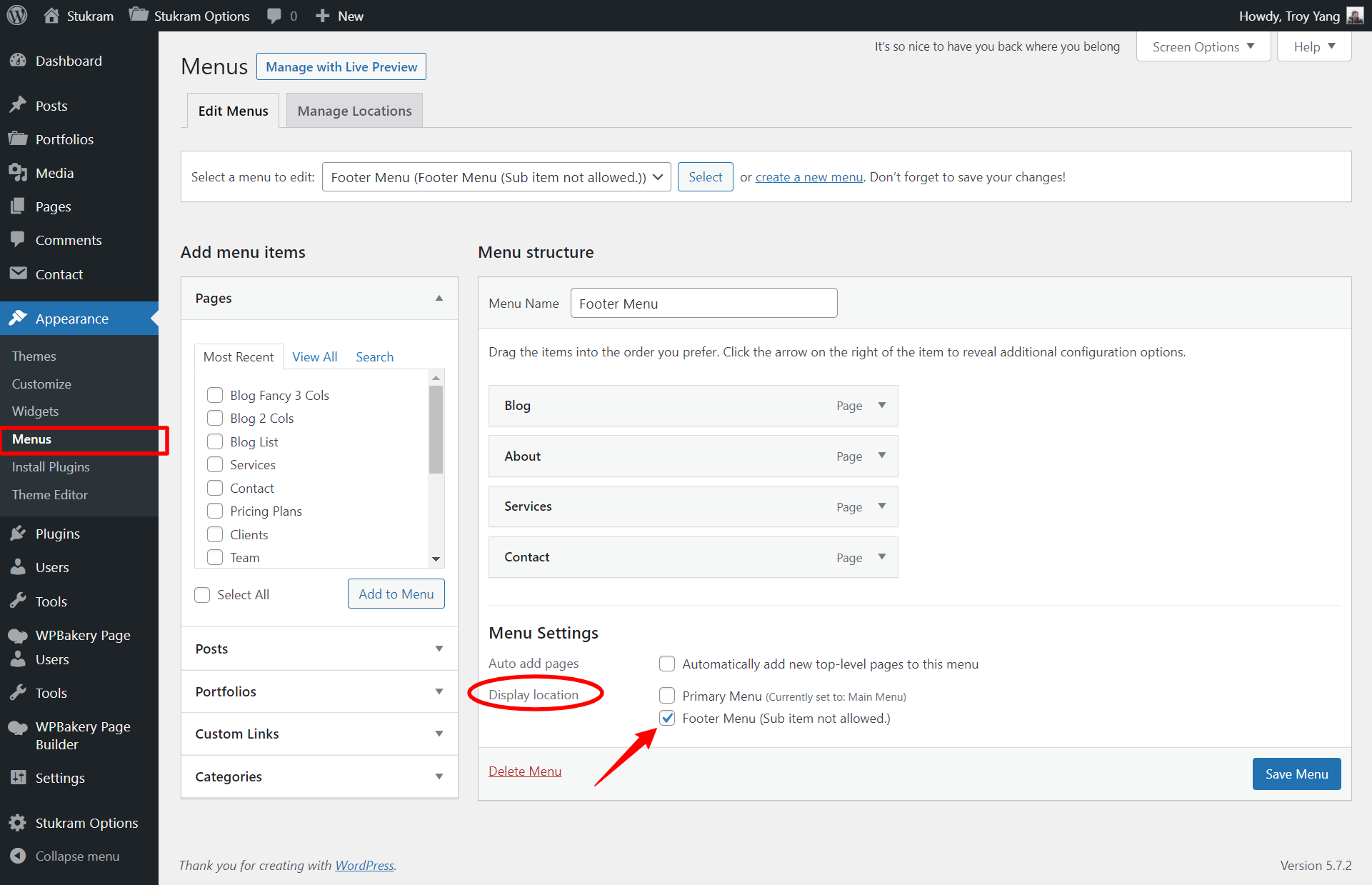
Navigation/Menu Setup
Stukram has two types menus and they are Primary Menu and Footer Menu.
Primary Menu
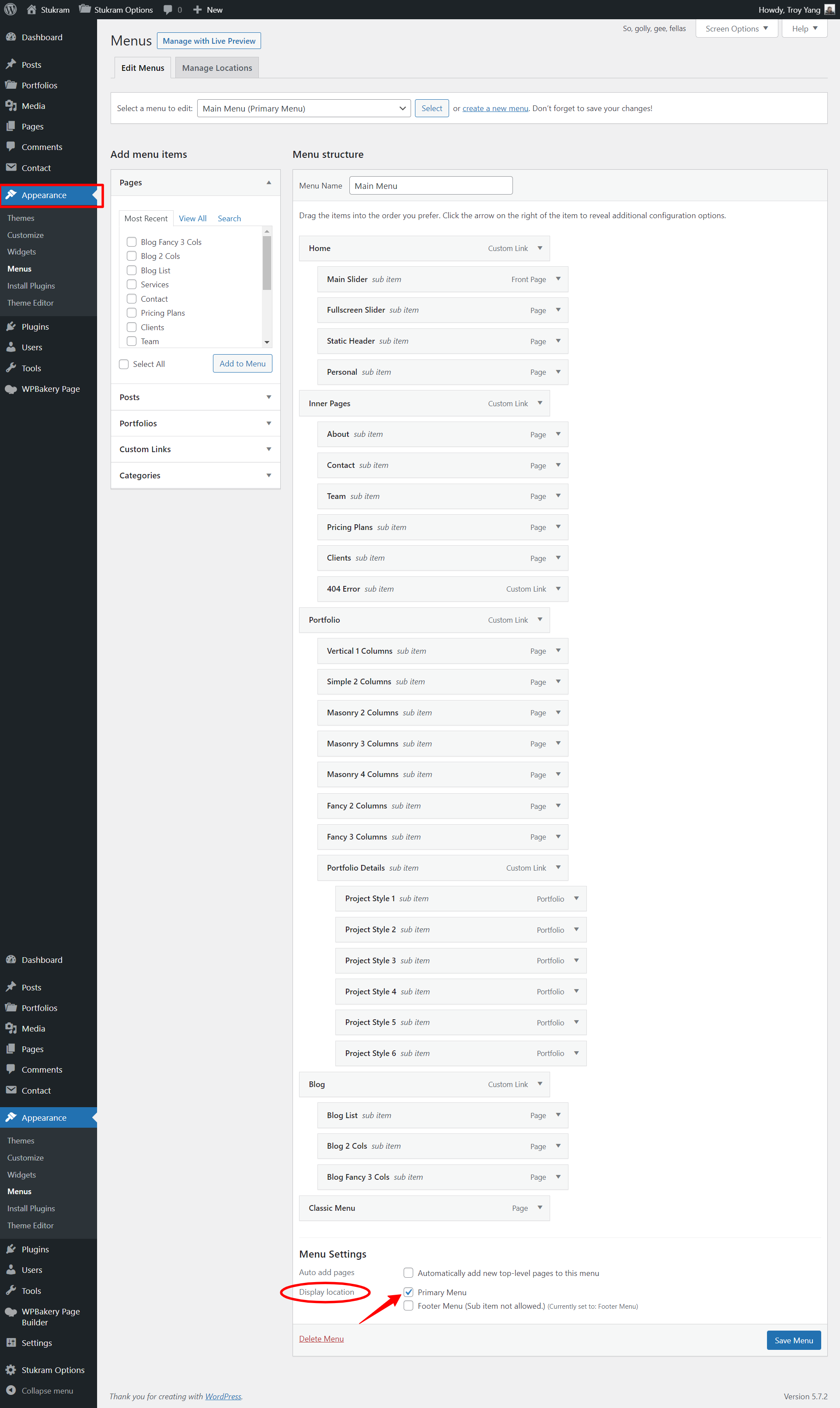
It's for the Header Top which will be displayed as main menu. To set the menu do the following
Creating & Setting a Menu
- Go to Appearance → Menus
- Click on Create a new menu
- Add some menu items to the menu
- Click on the Theme Locations tab select which menu you want to display in each area
- There is a more in depth guide for creating menus on the official WordPress website here
Select Primary Menu (Example)
Footer Menu
It's for the Footer Bottom which will be displayed as main menu. To set the menu do the following
Creating & Setting a Menu
- Go to Appearance → Menus
- Click on Create a new menu
- Add some menu items to the menu
- Click on the Theme Locations tab select which menu you want to display in each area
- There is a more in depth guide for creating menus on the official WordPress website here
Select Footer Menu (Example)